Scott's Good'n'Free Satellite Repair Page
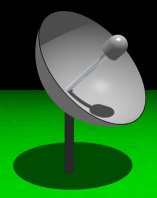 If your cheap and/or broke like me (you'll see the word free used a lot on my pages), you've found yourself a free dish that 'worked the last time I used it'. Just for reference here's what I have: a 15 year-old, fiberglass dished, LNA-using, free piece of junk. About the only component I can positively identify is the receiver and it's a Drake ESR240A. And I'll assume you have a general understanding of TVRO and you know the right end of a volt/ohm meter (no degree required). So here's an indefinite guide to things that can, might and will go wrong with a system like, similar or the same as mine.
Dish
Actuator
Pole
Feedhorn
Miscellaneous
Polarity
Soldering
Dish Mover
The Indefinite Guide to Things That Can, Might and Will Go Wrong With a Satellite System Like, Similar or the Same as Mine!
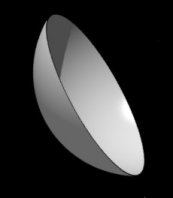 First we'll start with the simplest thing in the whole system, the dish. I have a 10 foot fiberglass dish and there's absolutely nothing wrong
with it. And it requires no maintenance except for snow removal and man can it pack it on! There's a few things I like about a fiberglass dish. One is you can paint them with exterior latex paint. Using paint you can camouflage it to hide it or paint it a bright pink if you want to tick off the neighbors. Another is that I think they'd be more resistant to heavy snow than wire. I've seen plenty of mangled wire dishes. On the bad side, it takes 4 strong men (or 5 of my friends) to put one up and they require a more powerful dish actuator. If you happen to get a mangled wire mesh dish I hear that you can cut out a parabolic guide out of some strong material like plywood and use it to beat the dish sections into a reasonable working shape.
First we'll start with the simplest thing in the whole system, the dish. I have a 10 foot fiberglass dish and there's absolutely nothing wrong
with it. And it requires no maintenance except for snow removal and man can it pack it on! There's a few things I like about a fiberglass dish. One is you can paint them with exterior latex paint. Using paint you can camouflage it to hide it or paint it a bright pink if you want to tick off the neighbors. Another is that I think they'd be more resistant to heavy snow than wire. I've seen plenty of mangled wire dishes. On the bad side, it takes 4 strong men (or 5 of my friends) to put one up and they require a more powerful dish actuator. If you happen to get a mangled wire mesh dish I hear that you can cut out a parabolic guide out of some strong material like plywood and use it to beat the dish sections into a reasonable working shape.
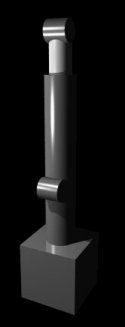 I've had few problems with my actuator besides a few adjustments. Inside the motor box are two sensors that tell when the dish has reached a certain angle and cuts power to the motor at that point to keep the dish from hitting the ground. I adjusted mine a little past the range of satellites I can receive. If your dish stops moving these could be stuck open. Check them with a meter to make sure they have close to zero resistance across the terminals (a closed switch). And of course, check to make sure the power cable isn't broken. There are also 2 seperate position sensors. One is a potentiometer and the other is a simple switch and cam mechanism that acts as a counter. These will have no effect on the performance of your dish but if you can't tell were your dish is pointing without looking out the window these could be the reason. My system uses the pot and works occasionally and even then it's erratically incorrect. As usual, check the cables. For a bad potentiometer you might try spraying some contact cleaner in it or it could need replacing-they do wear out. For the cam/switch, check it for stickiness or a bad switch. I put some grease on the gears and the telescopic shaft, they looked like they needed it. If your dish moves with jitters you can try this, just keep it out of the electronics. I used automotive grease on mine but I haven't been through a winter with it yet so I can't tell you if it'll glob up. Update!: Apparently the grease was too thick becasue when it started getting cold the dish got slower and slower. I'm going to have to clean it off of the shaft and try some oil. Sorry for the inconvenience this caused anyone following my advice about the grease...but I did warn you that I hadn't tried it yet!
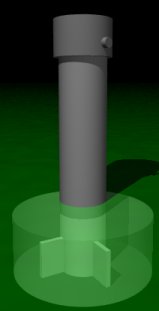 As long as your pole is sticking straight up you're in good shape. OK, now that we've had our laugh, if you seem to be losing satellites your pole might be tilting. You can check it by putting a carpenters level on a north/south side and again on a east/west side. There's really only one way to fix it and that's to dig it up and re-pour your base (or get some Viagra). I'm amazed my dish is still straight, I used one 40 pound bag of concrete for my 300 pound dish and only dug the hole about 2 feet deep. I should've thrown a couple of coat hangers in there for good measure.
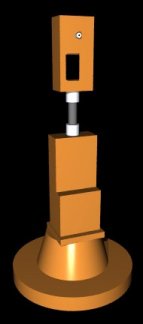 Welcome to the feed horn assembly. In here you'll find the LNA, the polarotor, the block converter and a big wasp's nest! Wasp's love to make nests in these things so proceed with mucho care! The feedhorn cover is supposed to be attached by 3 or 4 screws so you probably only have 1 or 2 and the second one doesn't fit right. This is OK as long as it keeps the rain off the goodies. Once you remove the cover the block converter will be the first thing to fall out. This will have the 70 mhz signal line and a power line running into it. Once you get things running take a roll of tape and attach it to the LNA to minimize it's movements and to keep it from hitting you on the head when you take the cover off. The block converter is then attached to the LNA by a real fat cable (in newer systems the LNA and the converter are one unit called an LNB but I can only afford a Good'n'Free system so I've never seen one). The LNA is attached to the polarotor and then the feedhorn itself. The polarotor has a three line cable coming off of it and the feedhorn is nothing but a square metal box with the actual antenna inside of it. And I should note that the Drake ESR240A and it's LNA/Downconverter are a matched set which explains why all my attempts to get a better LNA failed.
 OK, what can go wrong in here? Hell, what can't! The thing lives outside in all kinds of weather and occasionally an animal will make it into a home! First do a check for infestation, not forgetting to look in the feedhorn. Then remove all cables and connections, clean and dry them and then re-attach them. Even the big fat cable, it's carrying a giga-hertz signal so any water or corrosion in here will cause problems. Then on the block converter there's a diode to prevent reverse polarity. With the power off you can do a quick check to make sure it's not shorted using a voltmeter. Low resistance one way, high resistance the other. Don't rule out the possibility that someone has put it in backwards but it isn't likely, mines soldered. Legend has it that the LNAs are very susceptible to damage caused by close lightening strikes. The R.L. Drake page has a section on possible repair of LNAs and LNBs, see the Links section. I also had a problem with a solder joint breaking loose at the cable-in inside the LNA which gave me an intermittent picture loss which for a long time I thought was caused by a defective cable. I touched it up with a soldering iron and it's worked fine since.
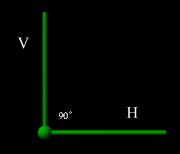 If you have problems with every other channel or the polarity adjuster doesn't seem to have any effect then it's probably a polarotor problem. Check the cables to the unit then the polarotor itself for problems. Since the polarotor is nothing but a DC motor that turns the antenna 90 degrees there's not a lot to go wrong here and I've never had any problems with mine. I imagine it could need cleaned and lubricated with a very light oil. As a worst case the motor could go bad. I've heard of this happening but I wouldn't be surprised if it was just satellite repairmen making a fast buck off a bad connection.
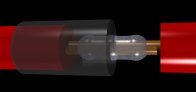 Any one of the many cables can cause problems if broken or corroded or if the power supply polarity is incorrectly connected. 90% of all problems I've had have dealt with cables and using the volt/ohm meter you can do a check of continuity on all of them. Bad picture or drifting picture can be caused by a corroded or broken signal cable. Besides carrying the signal it also carries a voltage which tunes the channels. The power line for my LNA has been cut and it's made of some brittle non-solderable metal--I tried dammit, I tried! I couldn't even twist them together so I ended up trimming the ends off and using another type of wire to 'tie' them together. It's crude but it worked. And somewhere along the way my dish received a Frankenstein actuator power cable that is part normal wire and part coax cable which actually worked fine until I ran it over with the lawn mower. If you have any cables that have been spliced by unknown parties I recommend that you resplice them yourself. As for how to splice wires together in a hostile environment, such as my front yard, I've been at a complete loss and until now I've been stripping and twisting them together because it's a pain to run the soldering iron out to the yard. So I got on the web and found
this bit of wisdom in a HAM message database:
Any one of the many cables can cause problems if broken or corroded or if the power supply polarity is incorrectly connected. 90% of all problems I've had have dealt with cables and using the volt/ohm meter you can do a check of continuity on all of them. Bad picture or drifting picture can be caused by a corroded or broken signal cable. Besides carrying the signal it also carries a voltage which tunes the channels. The power line for my LNA has been cut and it's made of some brittle non-solderable metal--I tried dammit, I tried! I couldn't even twist them together so I ended up trimming the ends off and using another type of wire to 'tie' them together. It's crude but it worked. And somewhere along the way my dish received a Frankenstein actuator power cable that is part normal wire and part coax cable which actually worked fine until I ran it over with the lawn mower. If you have any cables that have been spliced by unknown parties I recommend that you resplice them yourself. As for how to splice wires together in a hostile environment, such as my front yard, I've been at a complete loss and until now I've been stripping and twisting them together because it's a pain to run the soldering iron out to the yard. So I got on the web and found
this bit of wisdom in a HAM message database:
I weatherproof my connectors the same way I was taught to weatherproof splices while working for telco a number of years ago. Start with a rubber based tape (Scotch 2242 rubber splicing tape) start at the center of the splice or connector and wrap with overlap to about an inch beyond the end. Reverse and come back across the center on to an inch beyond the opposite end. Now reverse and wrap back to the center. Now do the same thing with 88. We then applied scotch coat to the entire mess. I don't use the scotch coat, but have never had a problem with connectors using the rubber and plastic tape. The rubber won't unwrap, so one must cut it off.
--73 de Larry K7SV
Sounds like good advice and if I ever get some dollars I'll try it. Or I might just buy all new cable! It's not even 50 feet. But any spare money I get usually goes into the computer. They also mentioned that the only thing conduit was good for was trapping water.
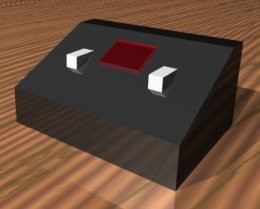 Back in the house we're down to the last two components. This is the dish actuator controller or as I call it, the thing that moves the dish. Mine is an add-on and not the original Drake controller that came with my reciever. This is pretty much a fool-proof thing it contains two switches: one for east and one for west. Only problem I've had here are loose solder joints. One was in the power supply and was quickly fixed with a touch of the soldering iron. The other one is hidden somewhere in the path the dish position sensor comes in and causes the display to show EEEE indicating eeeerror. But since the position sensor is usually wrong when it does work I've never bothered to track it down. And since the whole process of tuning a satellite is manual you learn were the birds are and an indicator is just a touch of luxury I've learned to live without.
On to my Drake ESR240A section...
Or you can go Back to the Index Page
Last updated 2/9/00


